


許可證和產品註冊信息
BandiView 許可政策
如何註冊 BandiView
無法註冊 BandiView 時,如何排查故障
如何解決“該產品已經在太多的裝置上註冊”的問題
BandiView 各版本功能對比
術語及功能說明
BandiView 快捷鍵
命令行參數
Thumbnail preview in File Explorer (psd, clip, ...)
網路卡通瀏覽模式
如何將RAW和JPG檔案分組為單個圖像
Photo folder
如何配置 BandiView 的視訊輸出
如何匯出和匯入 BandiView 設定
可以使用 BandiView 查看的圖像格式
如何使用 BandiView 查看 CLIP STUDIO PAINT 檔案 (.clip)
如何在 BandiView 中預覽 PSD 檔案 (.psd)
如何使用 BandiView 查看 SVG 檔案 (.svg)
如何使用BandiView查看HEIC、HEIF檔案
使用 BandiView 查看 HDR 圖像
BandiView HDR 支持
如何在 Windows 中開啟 HDR 設定
HDR 照片沒有以 HDR 顯示時
HDR 支持的示例檔案
The Complete Guide to Ultra HDR Jpeg
BandiView Image Converter
Sharp YUV conversion for WebP images
提示和指南
如何讓BandiView自動播放幻燈片
Thumbnail preview in File Explorer
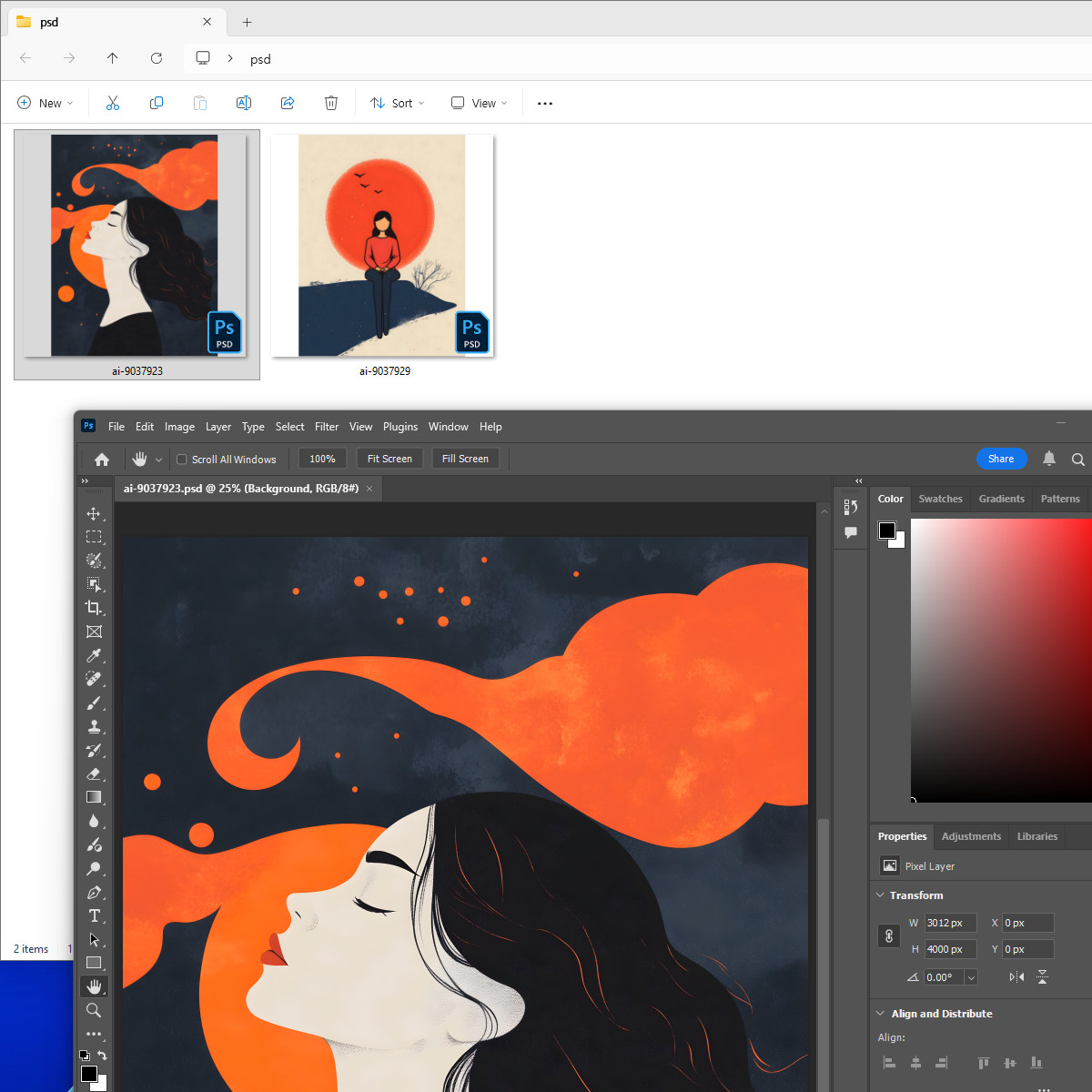
BandiView enables thumbnail previews in File Explorer for the following image formats which are not natively supported by Windows: PSD, PSB, CLIP, EXR, SVG
To enable this feature, go to the app's Configuration (F5) > Context Menu, and select the filename extensions for which you want to enable thumbnail support.
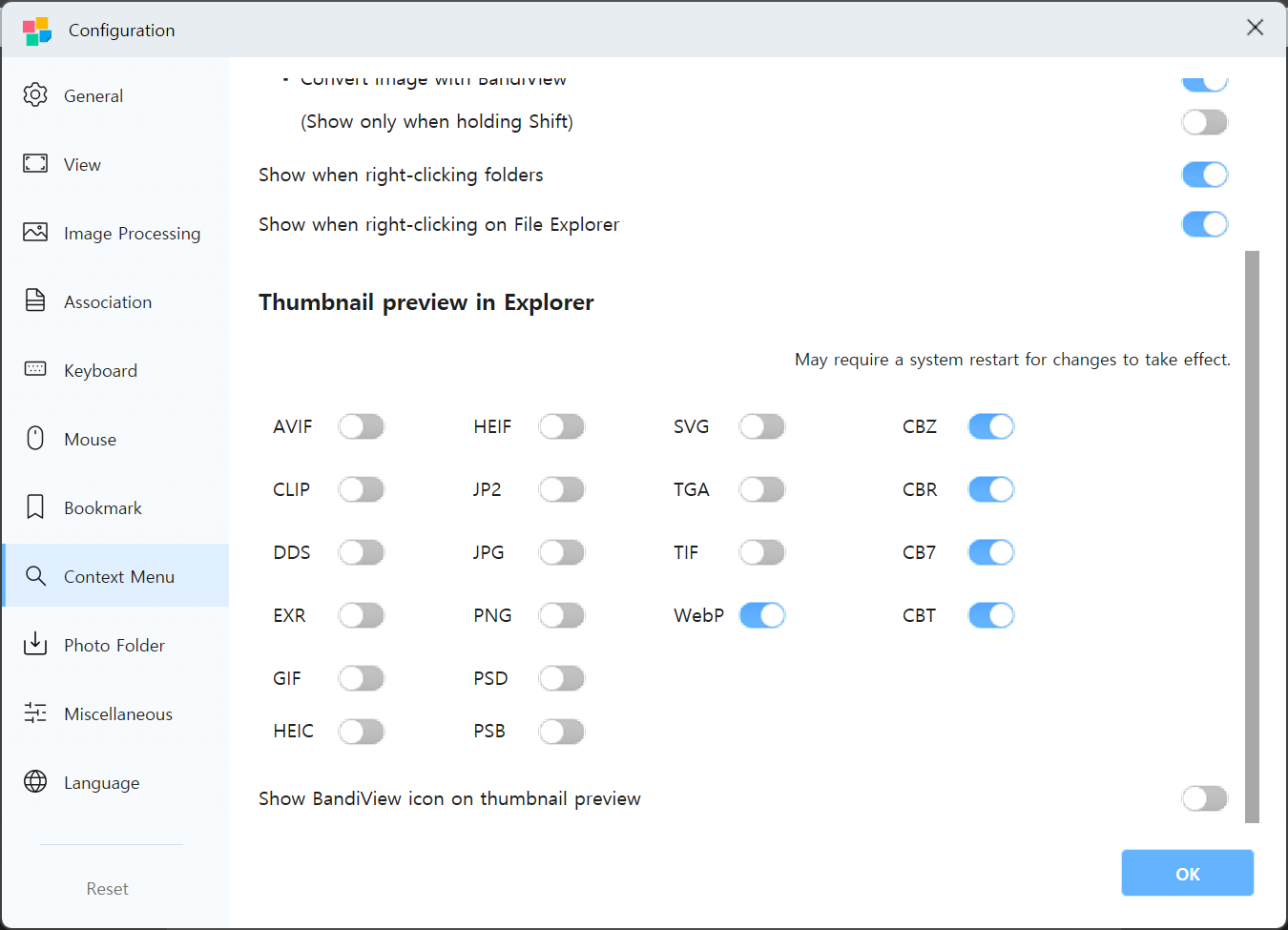
If thumbnails are not displayed
If thumbnail preview still do not appear in File Explorer after enabling the feature, try the following steps:
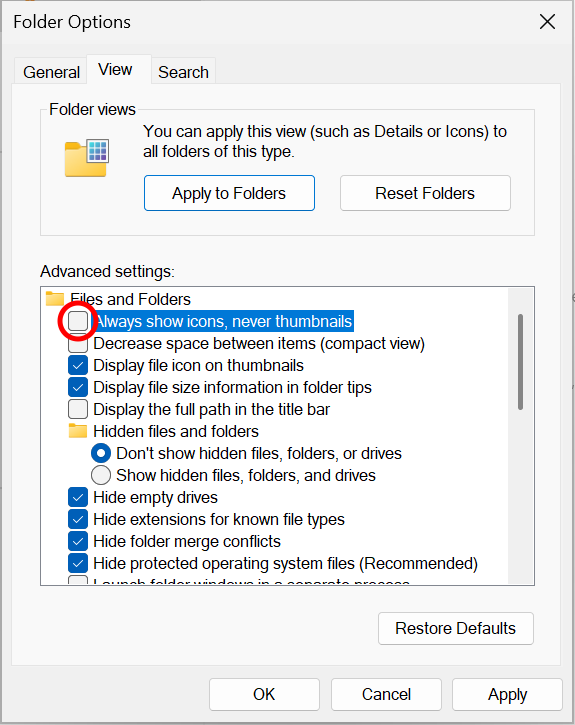
- In Folder Options of File Explorer, disable "Always show icons, never thumbnails."
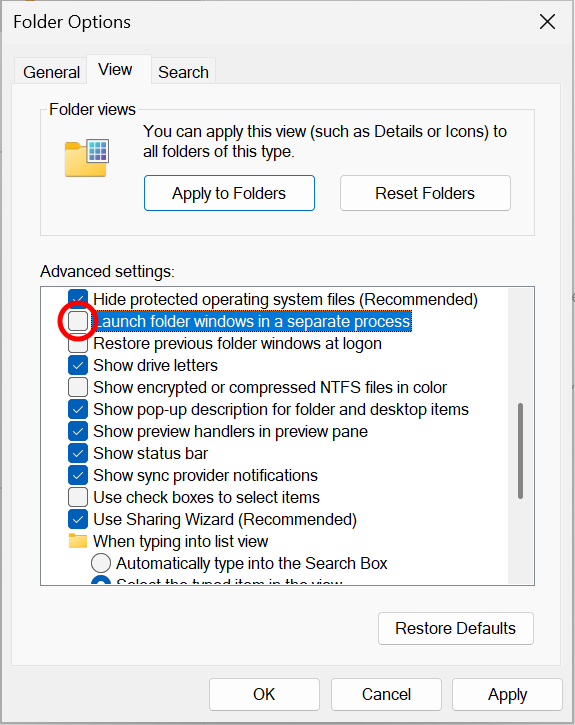
- Also in Folder Options, disable "Launch folder windows in a separate process."
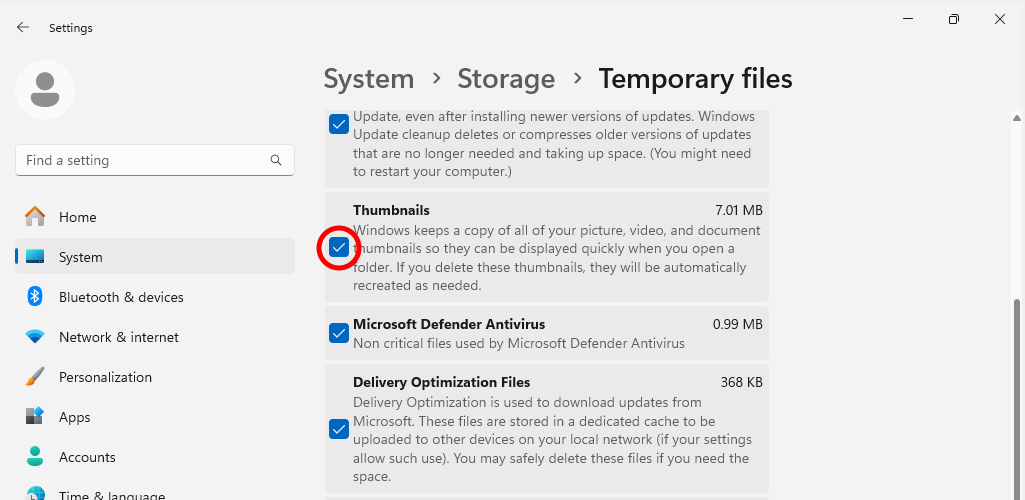
- Go to Windows Settings > System > Storage > Temporary files, and delete Thumbnails to clear the thumbnail cache.
Other things to try
If the above steps fail to fix the issues, try the following:
- Completely uninstall BandiView, restart your computer, and install BandiView again.
- Thumbnails are cached in File Explorer. Make a copy of an existing image file and check whether the same issue persists with the new copy.
- If files in a cloud storage (such as Google Drive or Dropbox) is set to online-only, the thumbnails cannot be displayed. Set the folder to "Make available offline" or disable the On-demand Sync feature in the client settings.